×

Viewing database information

When you select a database, the following information will be displayed.
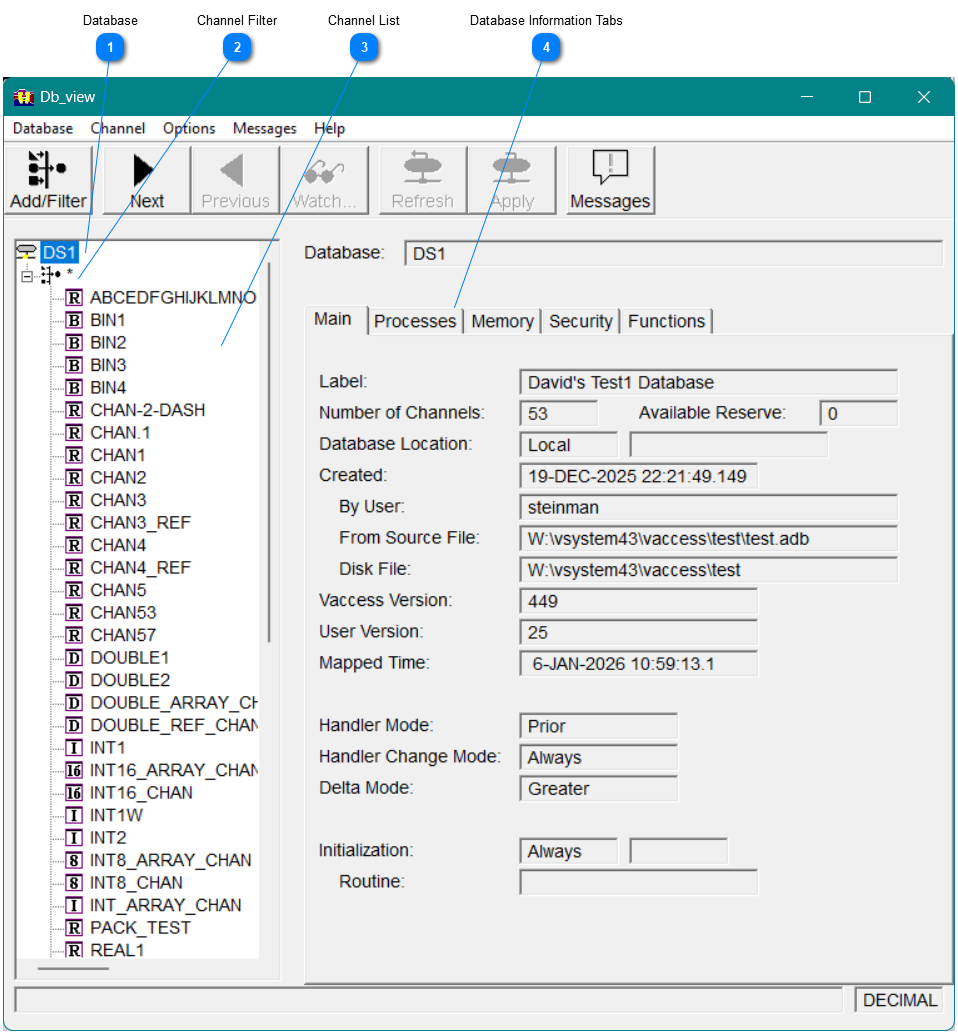
Figure14 - Database Main Tab
Viewing database information
1

Database

2

Channel Filter

3

Channel List

The icon indicates the channel type
4

Database Information Tabs

Select each tab to view more information,

Main Tab

The Main tab displays general information about the database, as show in Figure 14.

Processes Tab

The Processes tab displays information about the processes connected to the database, as shown in Figure 15. To see more details about a process, select the process and then click the Details button at the bottom right-hand corner of the processes list box.
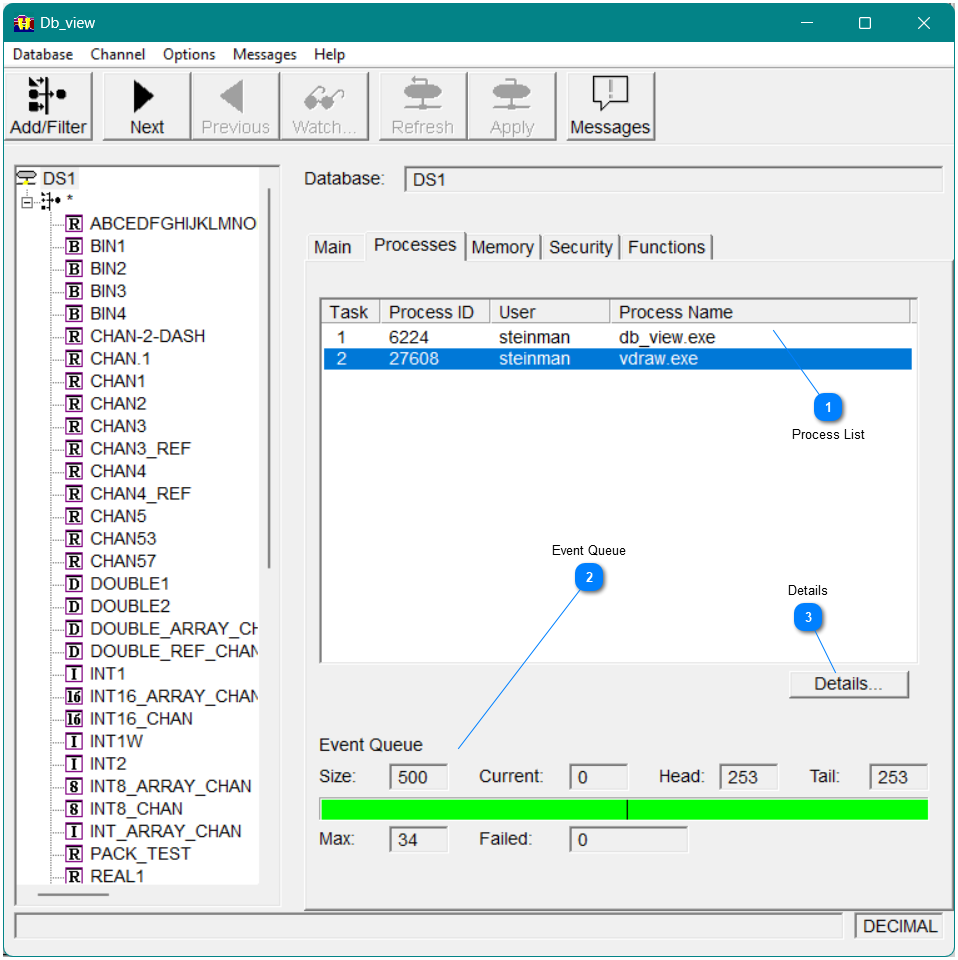
Figure15 - Db_view dialog Processes tab and Task Details window
Viewing database information
1

Process List

This is the  list of processes connected to the database.
2

Event Queue

These fields display the event queue information of the selected database.
3

Details

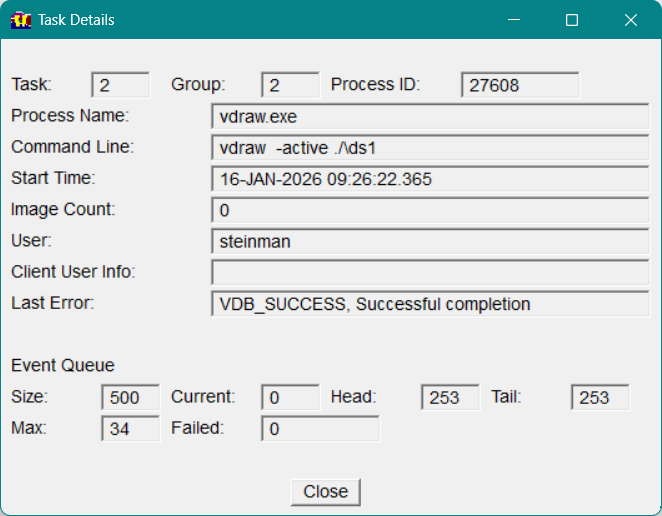
Select Details to display more information about the selected process.  Figure 16 shows the information.
Figure16 - Task Details

Memory Tab

The Memory tab displays the memory information for the database (including dmem and emem), as shown in Invalid cross-reference. This window also appears if you invoke Db_map with the mem qualifier and a database as the parameter.
The current amount of memory allocated is shown, along with the maximum that has been allocated at any one time. Any memory allocation errors that have occurred are also shown.
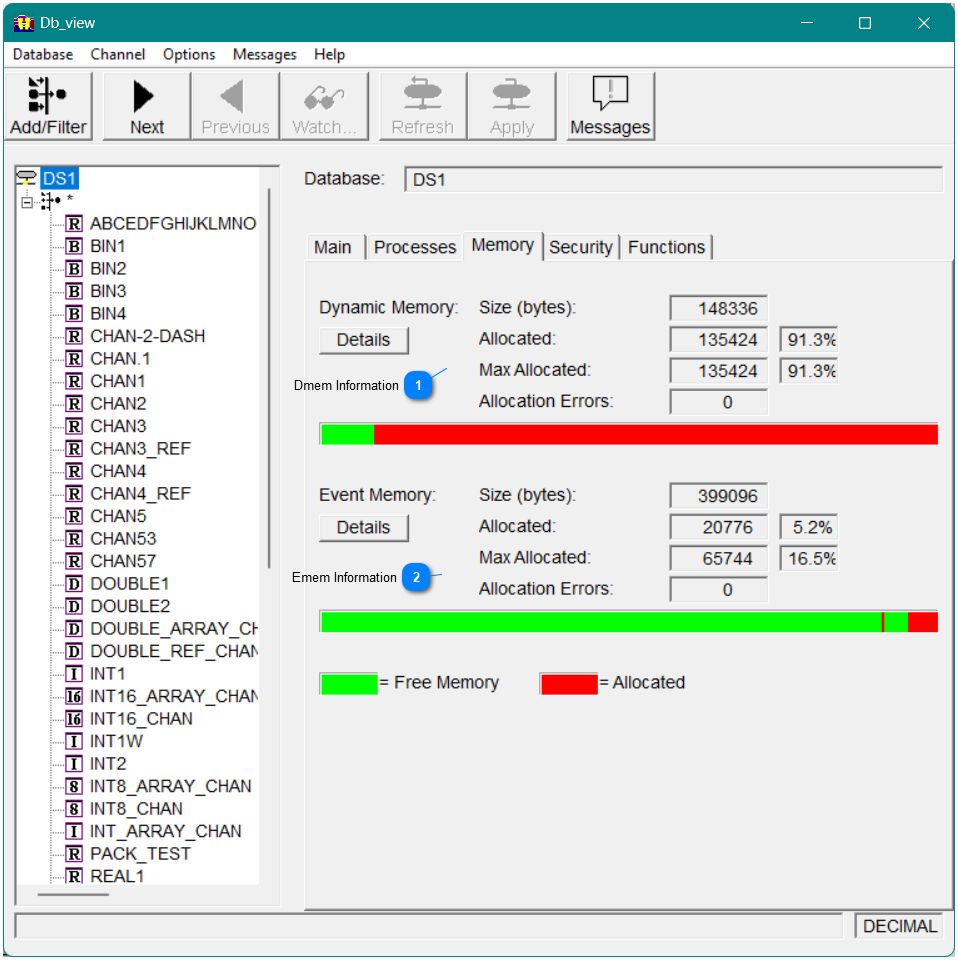
Figure17 - Db_view dialog Memory tab
Viewing database information
1

Dmem Information

Information for Dmem including errors and maximum allocated.  Select the Details button for a list of the memory used.
2

Emem Information

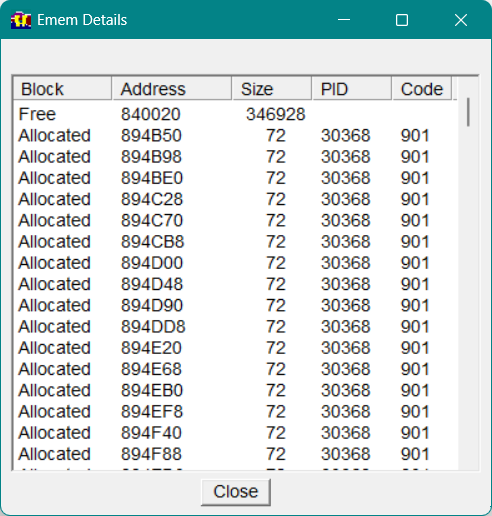
Information for Emem including errors and maximum allocated.  Select the Details button for a list of the memory used. For example, if you click the Details button, the Emem Details window appears.
Figure18 - Emem Details

Security Tab

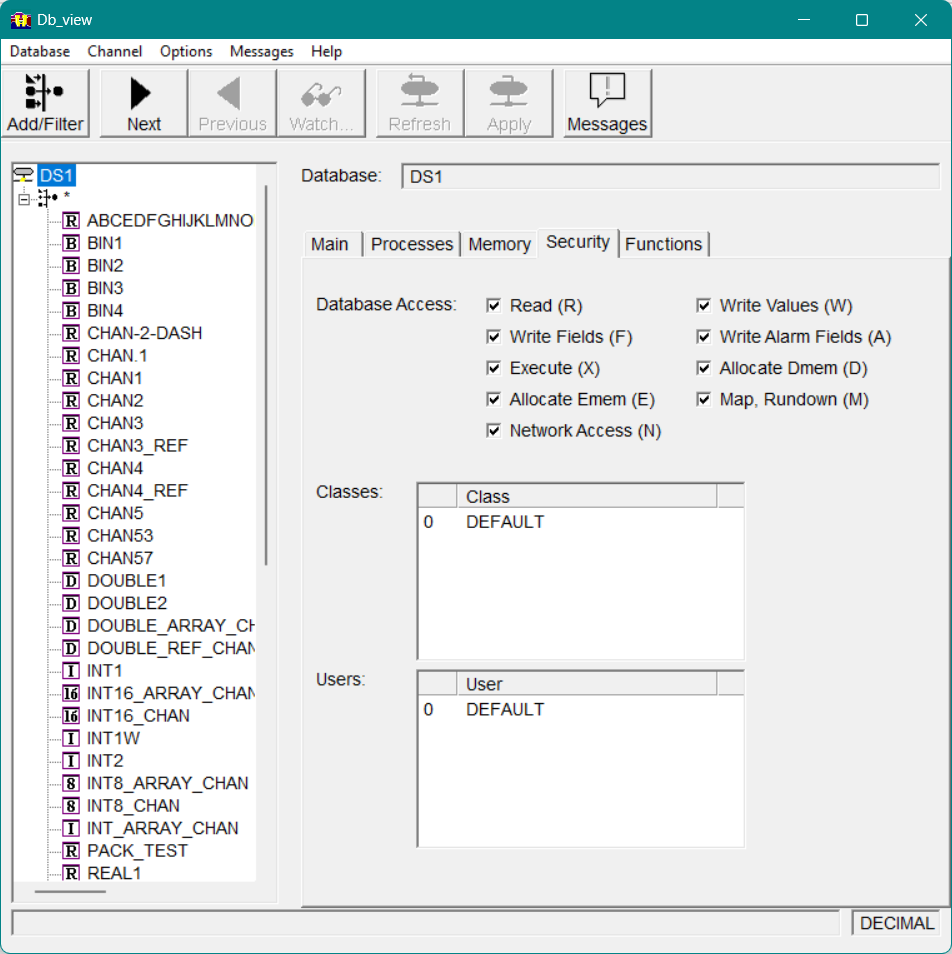
The Security tab displays the access information set for the database, including class and user information, as shown below.
Functions Tab
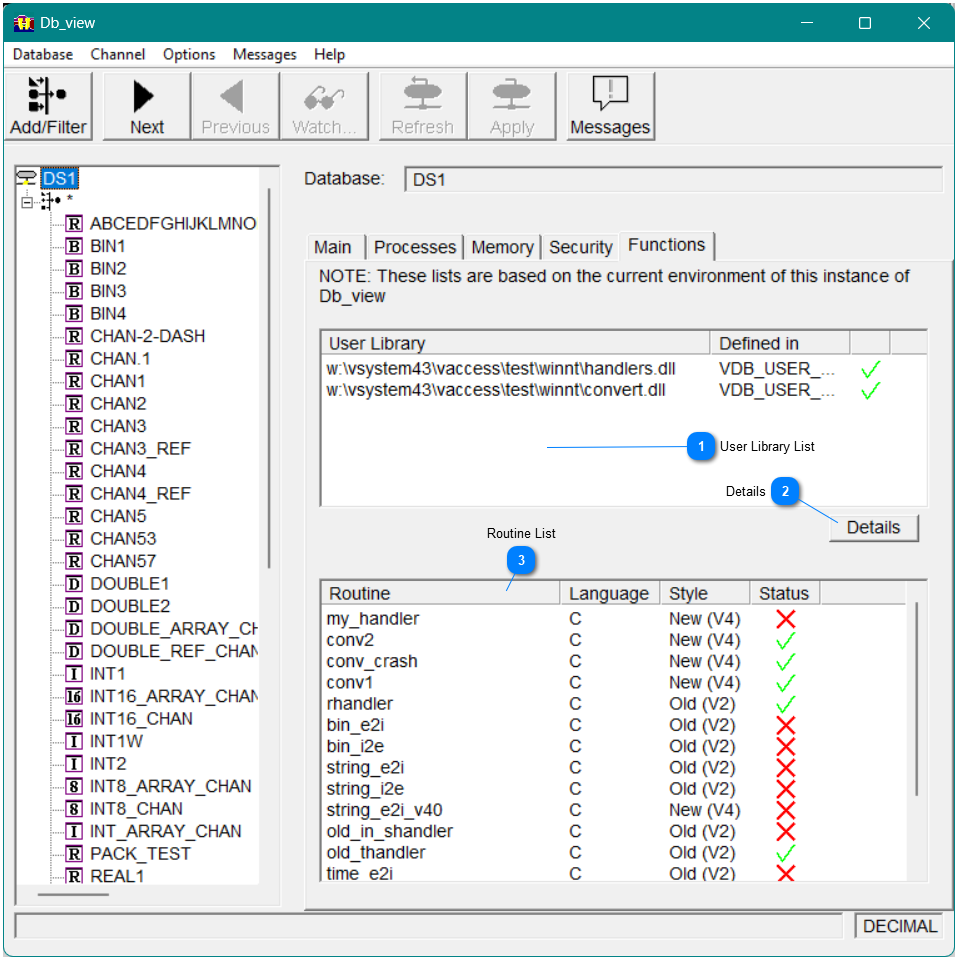
The Functions tab displays the handlers and conversion routines used in the database, as shown in Figure 19
Figure19 - Functions Tab
Viewing database information
1

User Library List

The User Library list box displays the shared libraries that are being searched for the routines.  Defined in display where the User Library was defined which could be the environment variable, VDB_USER_FILES, or in the database.  A green checkmark indicates the library was found, while red x  indicates the library was not found
2

Details

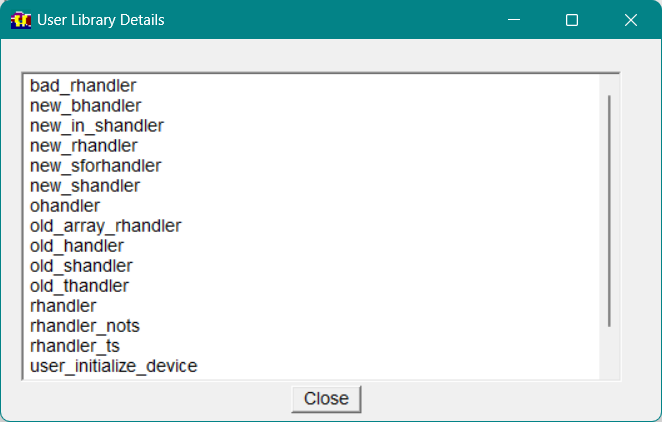
The Details button will display a window that list the routines that are found in the selected library. This can help find routines that where not found.
Figure20 - User Library Details
3

Routine List

The Routine List displays each routine that has been configured in the database.  A green checkmark indicates the routine was found, while red x  indicates the routine was not found
Note This information is based on the environment in which Db_view is running. If another process is run in a different environment, this data may not be valid.